
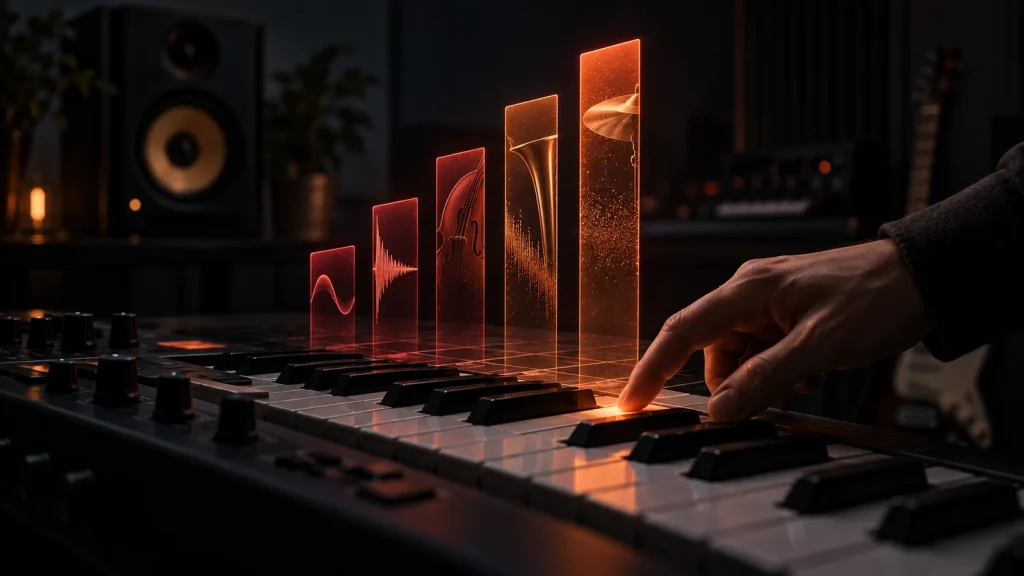
A piano-roll performance can have the right notes, the right rhythm, and the right sound while still feeling strangely flat. Look underneath the notes and one reason often becomes visible: every velocity bar is sitting in roughly the same neighborhood.
Velocity is easy to treat as a miniature volume control. In practice, it can influence much more. Ableton describes velocity as the MIDI information specifying a note’s dynamics, while individual instruments are free to use that information in different ways. Depending on the sound, changing velocity may affect level, attack, timbre, sample selection, envelopes, or several of those at once.
That makes velocity part of the performance rather than cleanup underneath it. The useful question is not whether MIDI needs more random variation. It is which notes deserve a different physical gesture.
Velocity Describes an Attack, Not a Mixer Move
When a velocity-sensitive keyboard is played, the note-on message includes information related to how forcefully the key was struck. In MIDI 1.0, note-on velocity uses a 7-bit value. MIDI 2.0 greatly increases that resolution, using a 16-bit velocity field with values from 0 to 65,535, as detailed by the MIDI Association.
The number itself does not dictate one universal audible result. A software piano might use higher velocity to trigger brighter or harder-struck samples. A synth patch could route velocity to filter cutoff or envelope depth. A drum instrument might use velocity to move between sampled hits as well as alter level. Steinberg’s Groove Agent, for example, can use incoming velocity to determine which sample is played.
So changing a MIDI note from 55 to 105 is not necessarily equivalent to turning that note up. The instrument receiving the message decides what 55 and 105 mean sonically.
The Instrument Decides What Velocity Does
This is where blanket velocity advice starts to fall apart. A useful velocity pattern for a sampled piano may be completely wrong for a sustained string patch. Before editing a performance, find out how the instrument responds.
Apple’s Studio Strings illustrates the distinction particularly well. Its dynamics can be controlled by incoming velocity, a MIDI controller, or a combination of both. That allows the initial note and the changing intensity during the sustained note to be treated separately. Apple’s Studio Strings documentation provides modes combining velocity with continuous dynamic control.
That matters because a violin note does not behave like a piano strike. Once a piano key has been struck, changing how hard it was originally struck is impossible. A bowed string, wind instrument, or sustained synth can continue changing intensity after the note begins. Programming all of them as though velocity alone represents the entire dynamic performance can flatten an important distinction.
For a short plucked sound, velocity may carry much of the expression. For a sustained orchestral patch, velocity might establish the attack while modulation or expression shapes the phrase afterward. Another library may map those controls differently. Check the instrument before assuming.
Perfectly Even Velocity Creates Its Own Sound
Repeated notes expose velocity patterns quickly. Program sixteen hi-hats at exactly the same velocity and the consistency becomes part of the groove. That may be perfect for a deliberately mechanical electronic part. It can feel less convincing when the intention is to suggest a drummer playing a repeating figure with natural accents.
The same problem appears differently on piano. Four block chords can contain correct pitches and timing but feel disconnected from phrasing when every note receives identical emphasis. A keyboard player does not normally make every finger produce precisely the same attack, and the important variation is not random. Melody notes, bass movement, accents, repeated figures, and phrase direction can influence how the hands distribute weight.
Uniformity is therefore not inherently wrong. It is a sound. The mistake is leaving every note uniform because the notes were entered with a mouse and never considering whether the musical part calls for something else.
Randomizing Everything Is Not Humanizing
A common response to rigid MIDI is to select the notes and randomize velocity. The resulting bars certainly look less perfect. That does not mean the performance became more believable.
Human musicians produce variation for musical reasons. A drummer may emphasize part of a groove. A pianist may bring out the upper note of a chord. A repeated bass figure may lean into the beginning of a phrase and relax later. Those differences have direction.
Randomization has no knowledge of that direction. It can weaken an intentional accent just as easily as it creates a useful difference. Worse, a large random range can cause a sampled instrument to jump unpredictably between velocity layers, changing timbre in places where the musical phrase does not call for it.
A better starting point is to identify the hierarchy already inside the part. Which notes establish the pulse? Which belong to the melody? Where does the phrase peak? Which repeated notes should recede? Velocity can then reinforce those relationships instead of scattering variation across the grid.
Think in Shapes Instead of Individual Numbers
Editing one velocity value at a time encourages producers to obsess over whether a note should be 74 or 78. Often the larger shape matters more.
Imagine an eight-note piano phrase that rises toward its sixth note and then relaxes. Rather than assigning eight unrelated values, create a gentle dynamic arc. The first few attacks might gradually become firmer, the sixth receives the strongest emphasis, and the final two settle back. The exact numbers depend on the instrument and controller response. The relationship among them carries the musical idea.
DAWs increasingly make this kind of editing straightforward. Cubase can tilt, compress, expand, and scale selected velocity data rather than requiring every note to be adjusted separately. Logic similarly allows the differences between soft and loud MIDI notes to be expanded or reduced through its Dynamics parameter.
Those tools are useful because musical dynamics are relational. Compressing the velocity range can retain a phrase’s contour while making the performance more controlled. Expanding it can exaggerate the distinction between soft and strong attacks without rebuilding the performance note by note.
Your Controller and Instrument May Be Mismatched
Sometimes the MIDI performance is not the real problem. The velocity curve between the controller and virtual instrument may simply feel wrong.
A player might struggle to reach the loudest samples on one keyboard while another controller produces high velocities with very little effort. Steinberg acknowledges this directly in The Grand, noting that keyboard response varies and providing adjustable velocity curves to change how incoming values map to the piano’s dynamic response.
This is worth checking before manually editing hundreds of notes. If nearly every performance arrives too softly, raising every velocity afterward treats the symptom. A better velocity curve may let the controller translate the player’s natural touch more appropriately from the beginning.
The opposite can happen too. A controller that reaches high values too easily may make gentle playing difficult. Adjusting the response curve can preserve more usable room in the softer and middle portions of the range.
Velocity and Expression Solve Different Problems
Velocity happens at the beginning of a note. Many instruments need movement after that beginning.
A sustained cello line might enter gently, grow through the middle of a note, and relax into the next one. Changing the original note-on velocity cannot describe that entire motion by itself. Continuous MIDI control can.
Native Instruments notes that electronic instruments can map velocity to more than amplitude, including changes that imitate the timbral response of acoustic instruments, while MIDI CC11 provides another form of continuous expression control. Apple’s instruments likewise distinguish velocity from controllers capable of changing dynamics while a note is already sounding.
That distinction can clean up a lot of confused MIDI programming. Velocity is excellent for shaping attacks when the instrument responds meaningfully to it. Expression, modulation, aftertouch, and other controls can handle movement that occurs after the attack. Which combination makes sense depends on the instrument.
Listen to the Part Before Looking at the Bars
The velocity lane is visually seductive. A row of identical bars looks robotic, while a varied pattern looks human. Neither conclusion is reliable without hearing the instrument.
Start with the musical part. If it feels static, listen for missing accents or a phrase with no dynamic direction. If repeated notes feel artificial, determine whether the problem is velocity, timing, articulation, sample repetition, or some combination. If a sustained instrument feels lifeless, adding random note-on velocities may do far less than shaping continuous dynamics.
Then make one deliberate change and listen again. Compress the velocity range. Exaggerate one accent. Shape a phrase upward. Reduce the attack of supporting chord tones. Adjust the controller’s velocity curve. The point is to hear what the instrument actually does with the information rather than assuming that messier MIDI data equals a better performance.
MIDI makes musical gestures editable, but the editable numbers are still supposed to describe a performance. Once velocity starts reflecting accents, phrase direction, instrumental behavior, and touch instead of arbitrary variation, those little bars beneath the piano roll stop being cleanup data. They become part of the arrangement.